


The object that matters.
Search inventories and inspect the settings behind each name.

 Migrator Policy migration services
Built by Braxton-Grant.
Control the change.
Compare iboss tenants, promote supported policy objects, and verify the result. Bring order to changes across your environments—with automated tools and expert guidance from BGT.


Policy migration / Change control / Verification / Audit trail
Use the same workflow between tenant pairs at each stage. Your team reviews changes, manages approvals, and confirms policy behavior.
 Less manual
 More deliberateRepeatable
 Clearer audit
 Stronger operational
The product in context
Keep source and destination in view as you inspect policy details, compare configurations, and prepare a change.
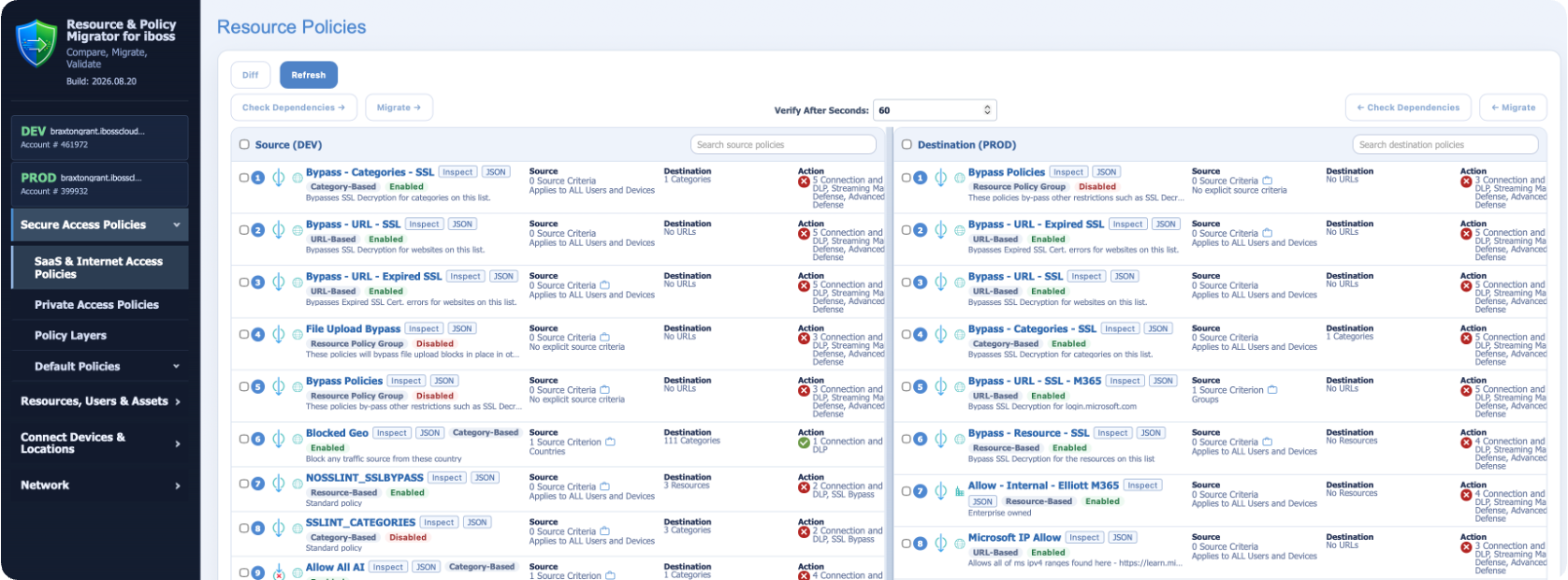
Search inventories and inspect the settings behind each name.
Review configuration differences and explore the underlying JSON.
See which dependencies are ready and which need attention.
Controlled promotion
Use iboss Migrator within your change process, whether you are promoting a tested configuration or aligning selected settings across environments.
Connect a source tenant or load an export. Authenticate to the destination and review inventories and differences.
Inspect the selected object and its dependencies. Use the findings to prepare the destination.
Use the destination mappings and settings you reviewed to carry supported objects forward.
Read back destination settings, check that the change persists, and record the outcome.
Support recovery as well as delivery. Rollback handling helps the team recover when a migration or verification fails. Keep verification and acceptance checks in your change process.
Export. Import. Diff.
Export tenant configuration for review and handoff. Bring it back into the workspace to inspect individual objects, compare saved configurations, or review differences against a live tenant.
Load an NDJSON export, select supported objects, and promote them into an authenticated destination—without reconnecting to the original source tenant.
An audit trail for the work
Carry configuration changes and migration outcomes into change tickets, troubleshooting, and operational handoffs.
Use tenant hygiene reports to investigate hidden name conflicts, migration fragments, and other issues that can obstruct a change.
Know the scope before you move
Coverage depends on the object, its configuration, and the product release. BGT will confirm the supported path for your environment before migration.
Resources, Resource Categories, and Tags.
Category-Based, selected Resource-Based, and Private Access policies.
Allow/block list entries, Web Category states, and Policy Layer shells.
Proxy Rules: comparison and diagnostics are available; the migration workflow is not yet available. Confirm object and dependency coverage with BGT.
Questions customers ask
Yes. Load an NDJSON export to inspect its objects and compare it with another export or a live tenant. Selective migration is a separate step into an authenticated destination.
Review the dependencies your selected object needs, prepare destination objects, and refresh the comparison. The findings help your team resolve gaps before promotion.
Use the same compare, prepare, and promote workflow between tenant pairs. Saved exports also provide a reusable source for supported objects across environments.
Use comparisons and readiness checks during review, then carry verification results and audit evidence into your existing process. Your team manages approvals and confirms intended policy behavior in the destination.
See it with your use case
Bring a representative policy and the tenants you manage. We’ll review comparison, migration from live tenants or exports, and destination preparation for your workflow.
Let’s move your mission forward.

Economically Disadvantaged Women-Owned Small Business