
Faster investigations
Explore activity through configurable queries, dashboards, and visualizations. Follow the patterns behind a change.



Investigate web activity, automate reporting, and retain historical logs—in an environment you control.
ODIN-I 2.0 · 11-minute walkthrough on YouTube
 On-premises
 Private cloud
Your data. Your control.
Bring supported web and proxy data into dashboards and saved queries.
Give security, operations, and leadership views they can use.
Keep historical logs for investigation and audit review after restore.
 Watch the walkthrough
See the product at work
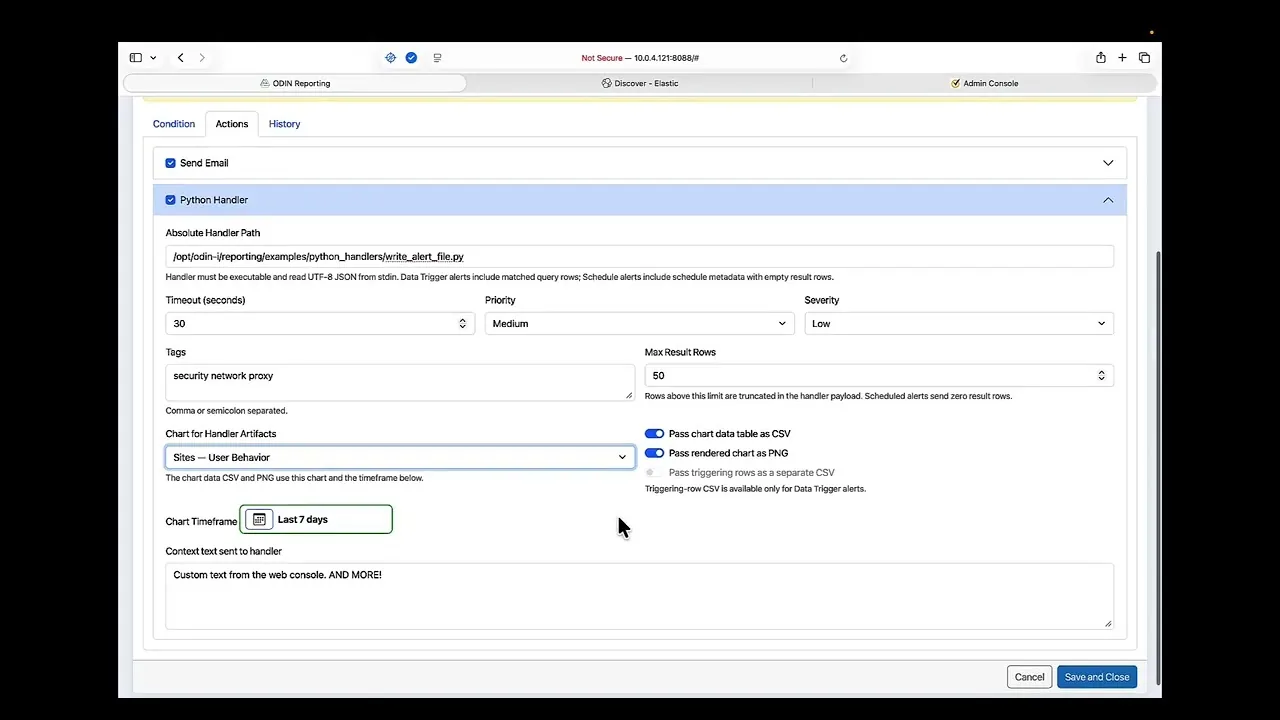
Explore the reporting interface and alert configuration in the ODIN-I 2.0 walkthrough. Then bring your priority reports, source systems, and retention questions to a discussion with BGT.
Open the walkthrough pageThe video shows ODIN-I 2.0. Confirm current release and edition coverage for your requirements.
Reporting that serves a decision
Use dashboards, saved queries, and scheduled reports to give security teams, IT operations, and business leaders a useful view of supported web and proxy data.
Explore activity through configurable queries, dashboards, and visualizations. Follow the patterns behind a change.

Schedule recurring reports and export PDF and PNG views for security, operational, and management reviews.

Use configured rules to surface activity that warrants attention and support recurring operational checks.

Review service status, source activity, delivery health, and backlog together to understand the flow of incoming data.

Review Reporting activity and authentication history in read-only views, with sanitized CSV export for authorized users.

Apply role-based permissions to reporting and administration. Give each audience the access its work requires.
CURRENT DATA SOURCES
Report coverage depends on the source, log format, and configured content. Confirm feature and source availability for the release and edition selected.
Moving beyond Symantec Reporter? Bring your report inventory, log formats, retention requirements, and the questions your users ask. BGT can review reporting fit and plan the transition around your priorities.
Long-term archiving
Plan everyday reporting and long-term retention separately. Preserve older records for the periods an investigator or auditor may need to revisit.
01 / REPORTKeep an online reporting window aligned with everyday operational and business needs.
02 / ARCHIVEPreserve historical logs in long-term archive storage using scheduled snapshots.
03 / RESTORERestore up to a 14-day period into a separate audit environment, subject to available disk space. Search, report, and export after restore.
Archived logs become searchable after restore. Audit archive restore is independent of the production ODIN-I license. Customers provide compatible Oracle Linux host(s) and sufficient disk capacity for the restored data.
Deployment & growth
Deploy on-premises or in a private cloud. Size the cluster for your sources, reporting demand, and retention policy, then expand within your subscribed capacity.
Multi-node deployment distributes data and processing. Add nodes to support growth and build in data redundancy.
For multi-node deployments, we recommend an odd number of nodes, with at least three. Performance and availability also depend on sizing and supporting infrastructure.
A supported offline package bundles installation dependencies for closed-network deployment on Oracle Linux 9.8 x86_64.
Offline installation requires the matching package and supported operating system. Confirm the appropriate release and deployment profile with BGT.
A single-node cluster runs with zero data replicas.
Adding the second node automatically expands replicas from zero to one.
The third node establishes the recommended three-node quorum configuration. Cluster roles are assigned automatically.
Annual subscription
Subscriptions are based on the CPUs, memory, and total storage available to the cluster. Pricing is not based on users, hosts, or ingestion volume.

Basic installation services are included to help put your deployment in place.
U.S. business-day support is included. 24×7 support is available.
The applicable Elastic subscription is included. BGT will confirm the licensing included with your selected edition.
| Edition | Foundation | Discuss with BGT |
|---|---|---|
| ODIN-I BASIC | Open-source Elasticsearch | Fit for your dashboards, search, reporting, and retention requirements. |
| ODIN-I PREMIUM | Commercially licensed Elasticsearch | Any additional licensed capabilities your deployment requires. |
Confirm the specific features, licensing, and cluster size for your release before choosing an edition.
MCP support is not currently available. Capabilities and availability will be confirmed for a future release.
Planned Model Context Protocol support would let your existing AI environment work with authorized ODIN-I chart data, compare trends, and prepare briefings.
More sources are also planned. Expanded ingester and reporting packages are being evaluated. Availability and packaging will be confirmed for each release.
Questions buyers ask

Bring your current report inventory, log formats, retention requirements, and the questions your users ask. BGT can review reporting fit and define a transition around your priorities.
Current sources include Edge SWG / ProxySG access logs, ProxySG syslog, and Cloud SWG feeds. Report coverage depends on the source, log format, and configured reporting content. Additional source packages are planned; BGT can confirm coverage for your release.
The supported offline installation profile requires the matching ODIN-I offline package and Oracle Linux 9.8 x86_64. Installation dependencies are bundled for that profile. BGT can confirm package availability and fit for your environment.
Audit archive restore is independent of the production ODIN-I license. Provide compatible Oracle Linux host(s) and sufficient disk space for a restored period of up to 14 days. Archived logs become searchable and reportable after restore.
Discuss source systems, daily data volume, online retention, archives, priority reports, any licensed feature requirements, and growth goals with BGT. The annual subscription is based on cluster CPUs, memory, and total storage. Confirm the edition and feature coverage for your release.
Your next step
Plan a demo around your priority reports, sources, data volume, retention requirements, and growth goals.
Demo request delivery: TBD. The inquiry form is a preview and does not send a request.
Let’s move your mission forward.

Economically Disadvantaged Women-Owned Small Business